How to Generate a Word Cloud Online: A Step-by-Step Guide
What Is a Word Cloud Generator?
A word cloud generator turns a block of text into a visual map of keywords. Words that appear more often are usually shown larger, so you can quickly see the main themes in a document, survey, lesson, meeting note, or presentation script.
Wordcloud.art is built for people who want more than a plain tag cloud. You can generate classic word clouds, choose from a large shape library, customize fonts and colors, create 3D word clouds, and export high-resolution visuals directly from the browser.
Example text you can paste
Try this short sample if you want to follow the tutorial exactly:
customer service, customer service, price, delivery speed, quality, support, packaging, refund, easy setup, mobile app, design, recommendation, customer service, fast delivery, quality
The repeated phrases make the final cloud easier to understand: "customer service" and "quality" should appear larger than one-off words.
Step-by-Step Tutorial with Screenshots
Use this visual walkthrough if you are new to Wordcloud.art. The same basic flow works for articles, survey answers, classroom responses, PowerPoint slides, Excel keyword lists, Google Docs, and social media content.
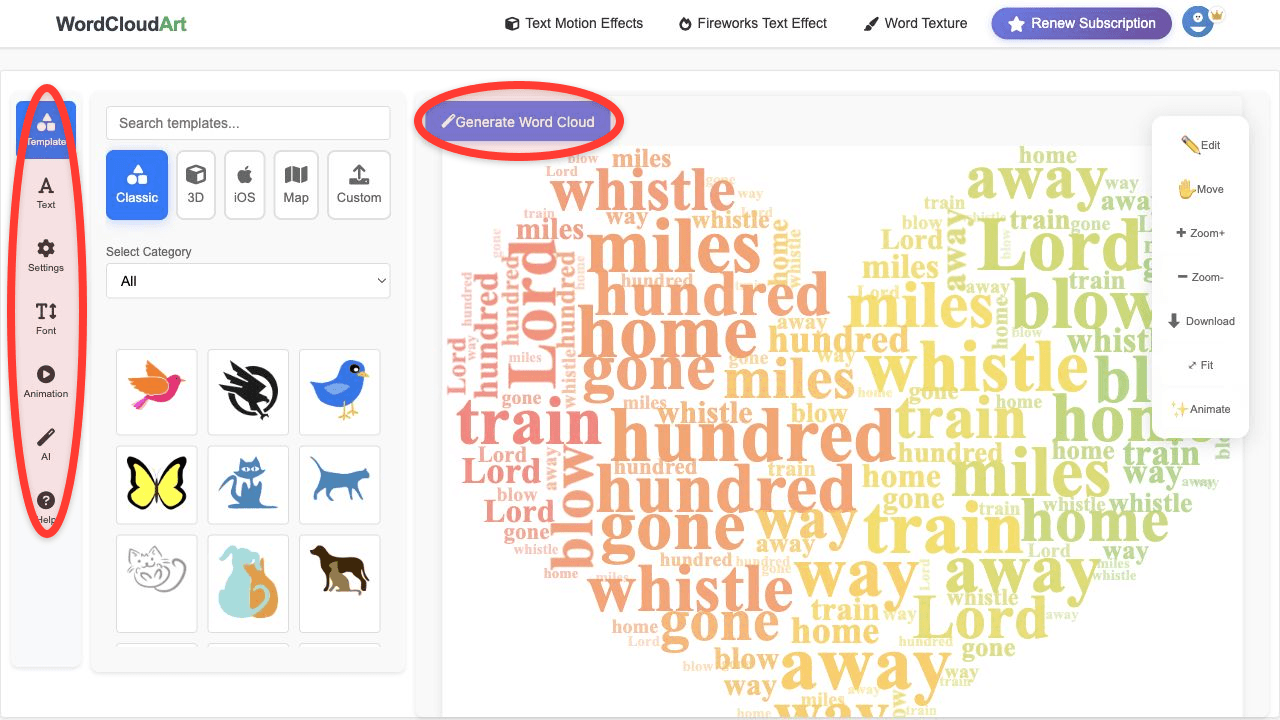
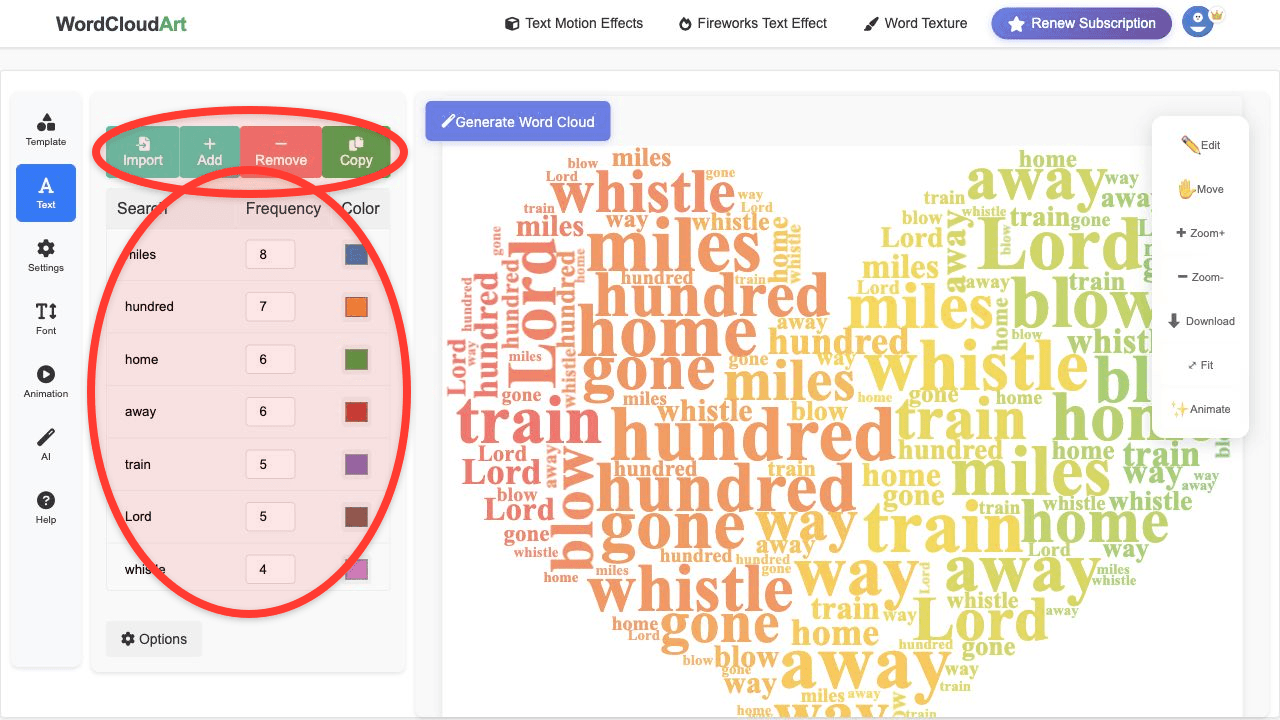
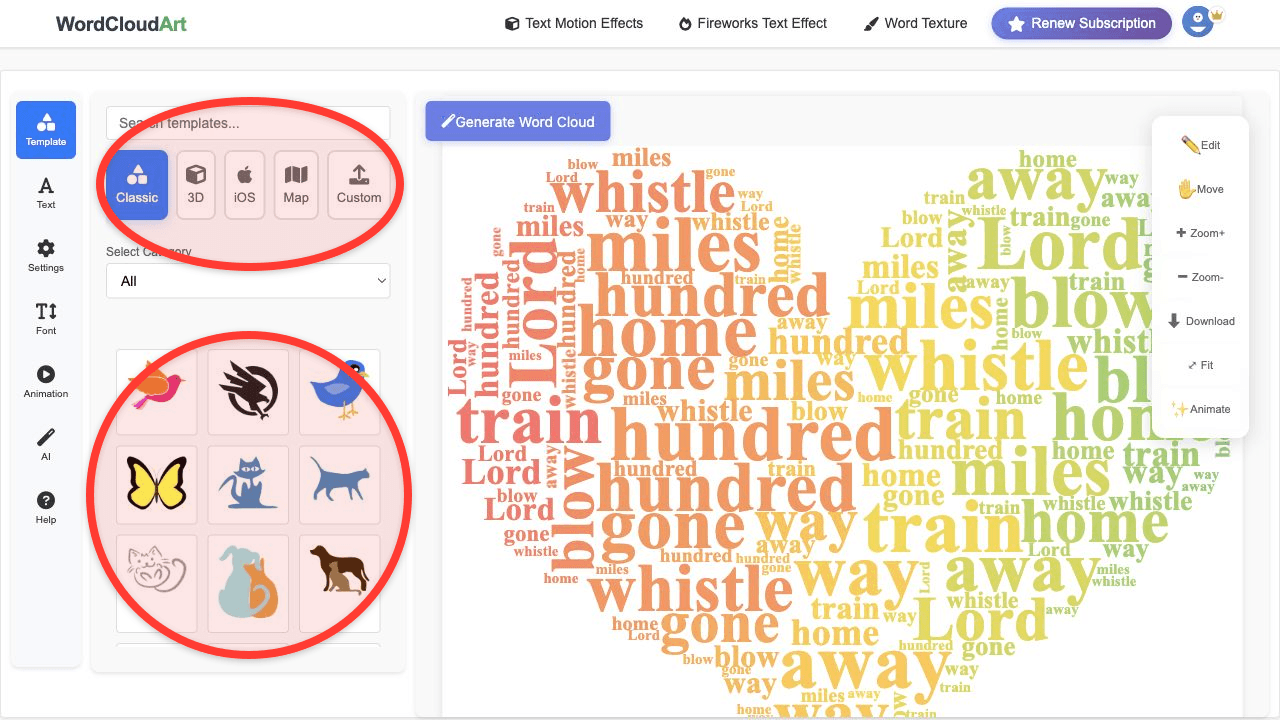
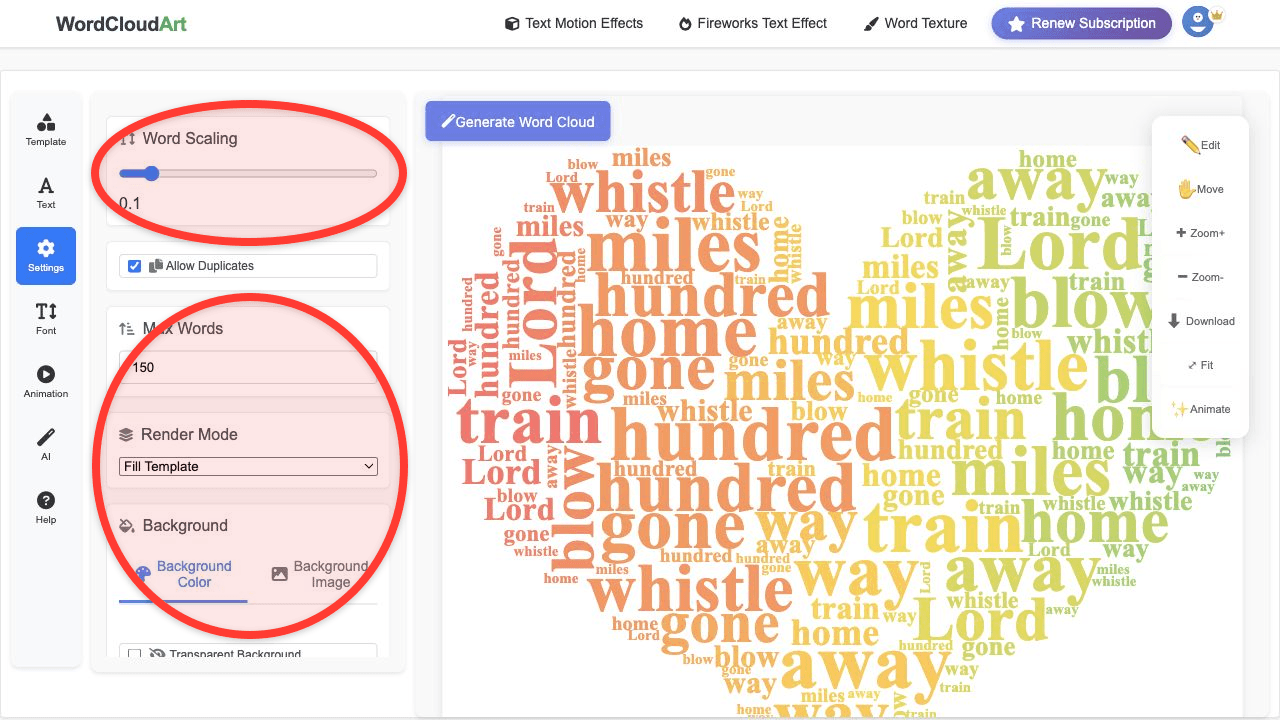
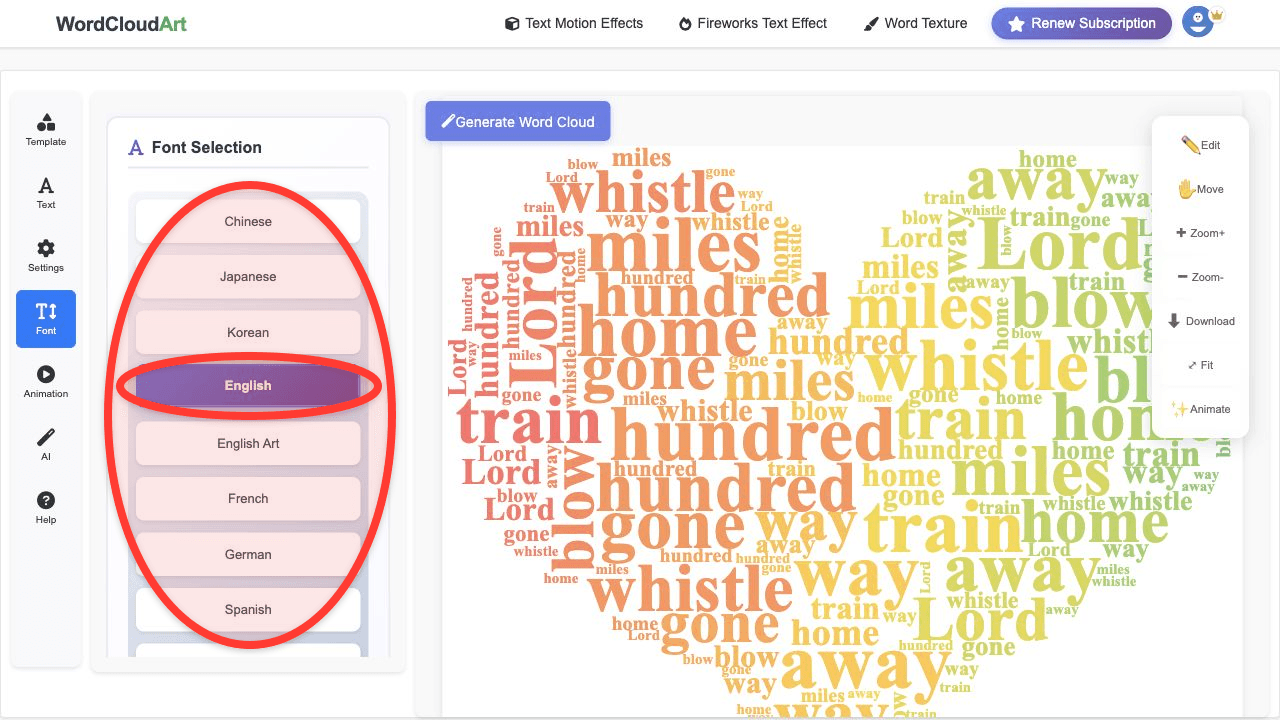
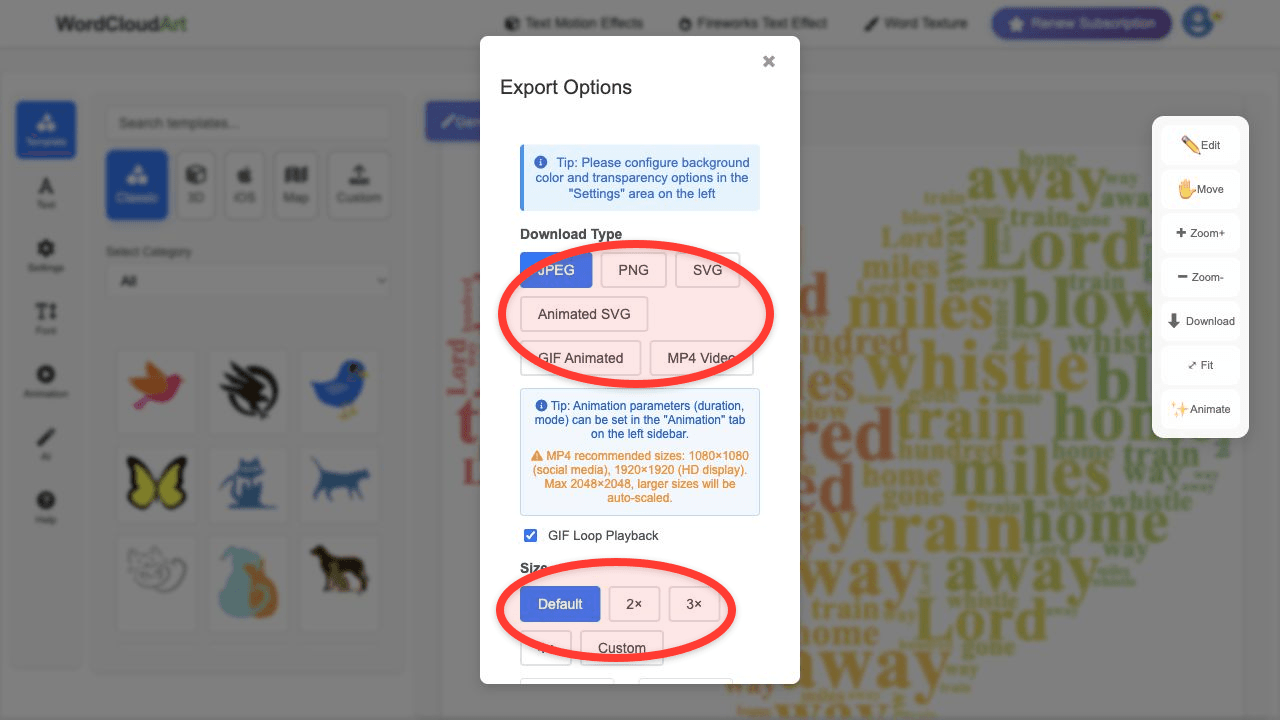
How to Generate a Word Cloud in Wordcloud.art
- Open the generator. Go to Wordcloud.art. You can start from the browser without installing software.
- Add your text. Paste article text, survey responses, classroom answers, product reviews, or a list of weighted keywords into the text panel.
- Review the keywords. Remove filler words, merge phrases that should stay together, and give important terms stronger weights if needed.
- Choose a shape. Select a simple circle, heart, speech bubble, classroom icon, business symbol, or another template that matches your topic.
- Customize the design. Pick fonts, color palettes, word angles, background color, and spacing. Wordcloud.art also supports artistic fonts and 3D-style effects for more visual impact.
- Render and export. Generate the word cloud, make final adjustments, then export it as an image for slides, reports, posters, social posts, or teaching materials.
Quick SEO answer: To generate a word cloud, paste your text into a word cloud generator, clean up the keyword list, choose a shape and visual style, then export the finished image. With Wordcloud.art, you can also use 3D and animated word art styles when a static cloud is not enough.
What Text Works Best?
You can generate a word cloud from almost any text source, but the best inputs have a clear topic and enough repeated language to reveal patterns. Good examples include:
- Survey responses for customer feedback, employee sentiment, or event reviews.
- Classroom answers for vocabulary practice, warm-up activities, and group reflection.
- Articles and reports for quick theme exploration before deeper reading.
- Presentation notes for a visual summary slide.
- Product reviews for common praise, complaints, and feature requests.
Before and after example
Raw input: "The delivery was fast. Customer service helped me quickly. The app was easy to use, but the price felt high."
Cleaned keyword list: delivery speed, customer service, app usability, price, support, easy use.
Why clean it? A cleaned list prevents filler words from taking visual space and makes the cloud useful as a summary graphic.
How to Make the Word Cloud More Useful
A word cloud is most useful when the keyword list is edited intentionally. Before exporting, remove generic words such as "the", "and", "very", or "good" if they do not help the audience. Keep meaningful phrases together, such as "customer service", "project management", or "student engagement". If your goal is presentation design, choose a shape that reinforces the topic instead of distracting from it.
When to Use 3D or Animated Word Clouds
Static word clouds are great for reports, handouts, and printable posters. Use Wordcloud.art's 3D or motion effects when the word cloud needs to hold attention on a screen: opening slides, social videos, classroom projectors, event loops, or product demos. The core process is the same: add text, choose keywords, customize the look, then export.
If your next question is more specific, use the dedicated guides for word cloud generator shapes, AI word clouds, interactive word clouds, or animated word cloud exports.
Frequently Asked Questions
How do I generate a word cloud online?
Paste your text into an online word cloud generator, choose a layout or shape, customize fonts and colors, then export the result. Wordcloud.art lets you do this in the browser and adds shape templates, 3D styling, and animated word art options.
How do word cloud generators work?
Most word cloud generators count how often each word appears, remove common stop words, assign visual weight to important words, and place them into a layout without overlapping. Larger words usually represent higher frequency or stronger weight.
Can I generate a word cloud from Excel or a spreadsheet?
Yes. Copy the text or keyword column from Excel, paste it into Wordcloud.art, and render the cloud. If you already have counts, you can use those counts as keyword weights so the cloud reflects your spreadsheet data.
Can I generate a word cloud for PowerPoint?
Yes. Create the word cloud in Wordcloud.art, export it as an image, then insert it into PowerPoint. This is often easier than trying to build a word cloud directly inside PowerPoint.
Is Wordcloud.art free to use?
You can start creating word clouds for free. It is a practical option when you need a free word cloud generator for quick classroom visuals, reports, and presentation graphics.
Generate Your First Word Cloud
Paste your text, choose a shape, and turn keywords into visual word art.