Words with hierarchy
Greetings such as “MERRY CHRISTMAS” and “Joyeux Noël” are weighted larger. Family, joy, light, and winter wishes fill the remaining space.
THE 2026 CHRISTMAS COLLECTION
Turn your holiday message into a Christmas tree, Santa Claus, snowflake, and more. Choose a finished design below, then edit its words, colors, sizes, and motion in the Wordcloud.art generator.
 Christmas tree · English · classic
MAKE IT YOURS
Each preview below is generated from its own editable preset. The largest words carry the greeting; smaller words add the detail. Click any design to load its shape, weighted keywords, palette, and animation settings into the live editor.
CHOOSE A STARTING POINT
Click a card to generate and customize it.
A classic greeting with a large MERRY CHRISTMAS headline and smaller family wishes.
 ◒ Gradient
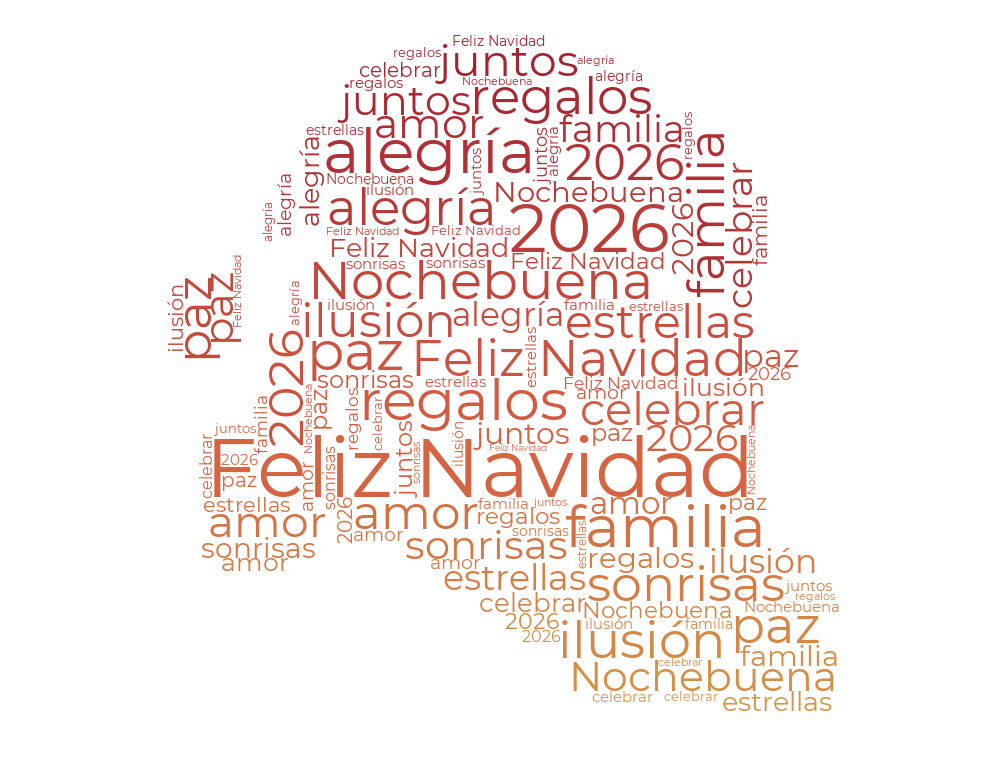
Spanish holiday greetings in a Santa Claus silhouette with rich red and gold.
 ◒ Gradient
✦ Animated
A cool winter palette and animated French seasonal wishes.
 ◒ Gradient
Warm German greetings with a reindeer shape and earthy festive colors.
 ✦ Animated
Japanese Christmas greetings in a playful Santa hat with lively motion.
 ◒ Gradient
Chinese Christmas wishes in three stocking shapes with a warm red-to-gold gradient.
DESIGN DETAILS
The templates vary in language, word emphasis, color and movement, so you can choose the tone that fits your card, invitation, classroom activity, or holiday post.
Greetings such as “MERRY CHRISTMAS” and “Joyeux Noël” are weighted larger. Family, joy, light, and winter wishes fill the remaining space.
Try evergreen and gold, Santa red, icy blue, or warm woodland colors. Every preset opens with its palette ready to adjust.
The French snowflake and Japanese Santa hat move automatically in their previews. Open either preset to refine its animation.
HOLIDAY WISHES WORLDWIDE
Use a ready-made greeting as your starting point, then replace the sample words with your own message. Each preset uses a font suited to its language.
Choose a languageTHREE SIMPLE STEPS
Select a tree, Santa, snowflake, reindeer, Santa hat, or stocking. The card opens that exact preset in the generator.
Change the greeting, add names or holiday wishes, and adjust word weights so your most important phrase appears largest.
Adjust the palette, font, layout, and available animation controls in the editor, then export your finished word cloud.
QUICK ANSWERS
Yes. Clicking a design loads its sample words into the editor, where you can replace them and change their size weights.
This collection includes a Christmas tree, Santa Claus, snowflake, reindeer, Santa hat, and Christmas stockings.
Yes. Start with the animated snowflake or Santa hat presets, or explore the animated word cloud generator.
Yes. This page includes English, Spanish, French, German, Japanese, and Chinese starting points, each with its own weighted word list.
READY FOR YOUR 2026 MESSAGE?
Open a preset and make the holiday greeting your own.