Does Canva, Microsoft Word, PowerPoint, Excel, or Google Docs Have a Word Cloud Generator?
Short Answer
Most design, document, and presentation tools can display a word cloud once you export it as an image, but they usually are not dedicated word cloud generators. If you want custom shapes, keyword weights, artistic fonts, 3D effects, and fast exporting, it is often easier to create the cloud in Wordcloud.art first, then insert the finished image into Canva, Microsoft Word, PowerPoint, Excel, Google Docs, or Google Slides.
Recommended workflow
- Create the word cloud in Wordcloud.art.
- Export PNG for Canva, Word, PowerPoint, Google Docs, and Google Slides.
- Export SVG if you need a scalable graphic for design work.
- Export GIF or MP4 if the word cloud should move in a presentation or video.
Step-by-Step Tutorial with Screenshots
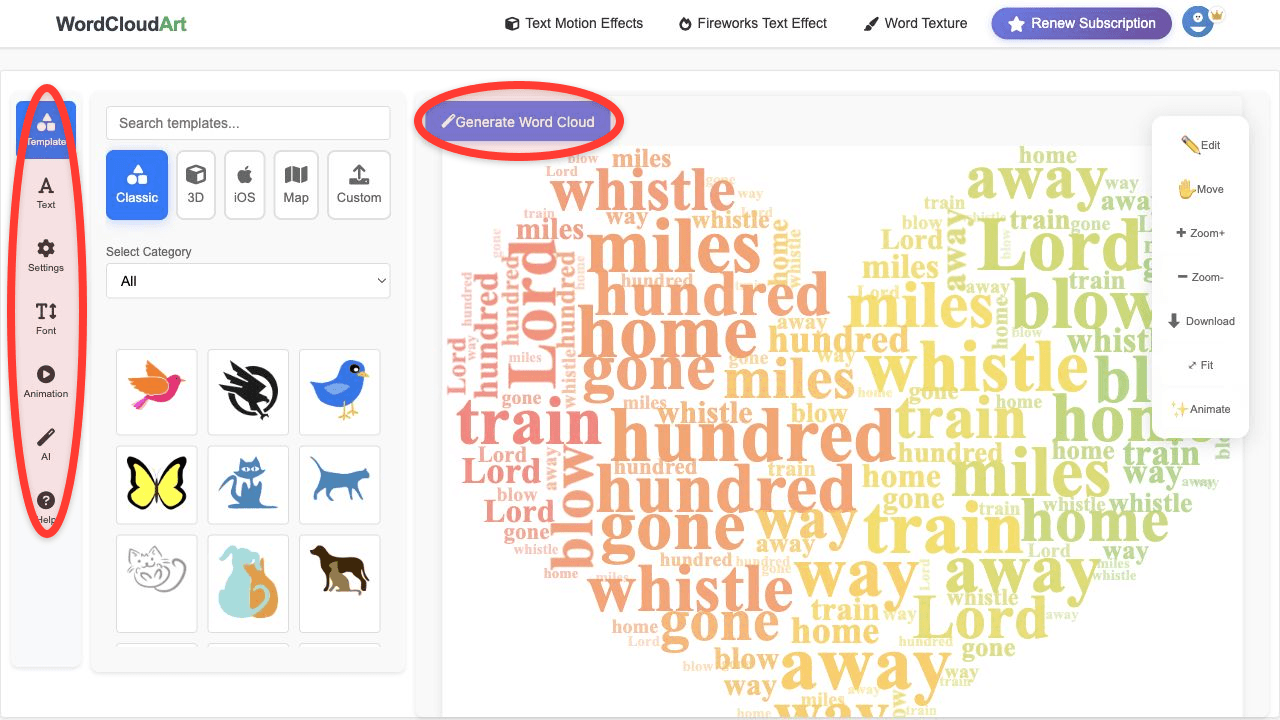
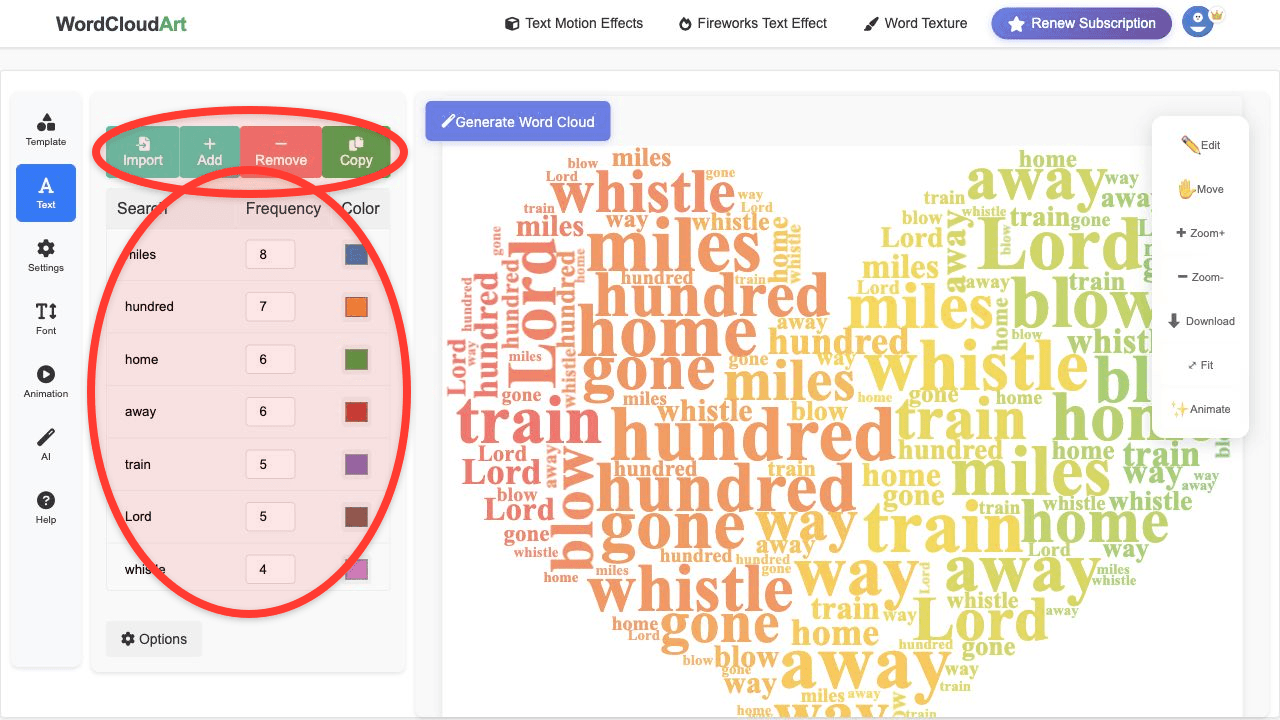
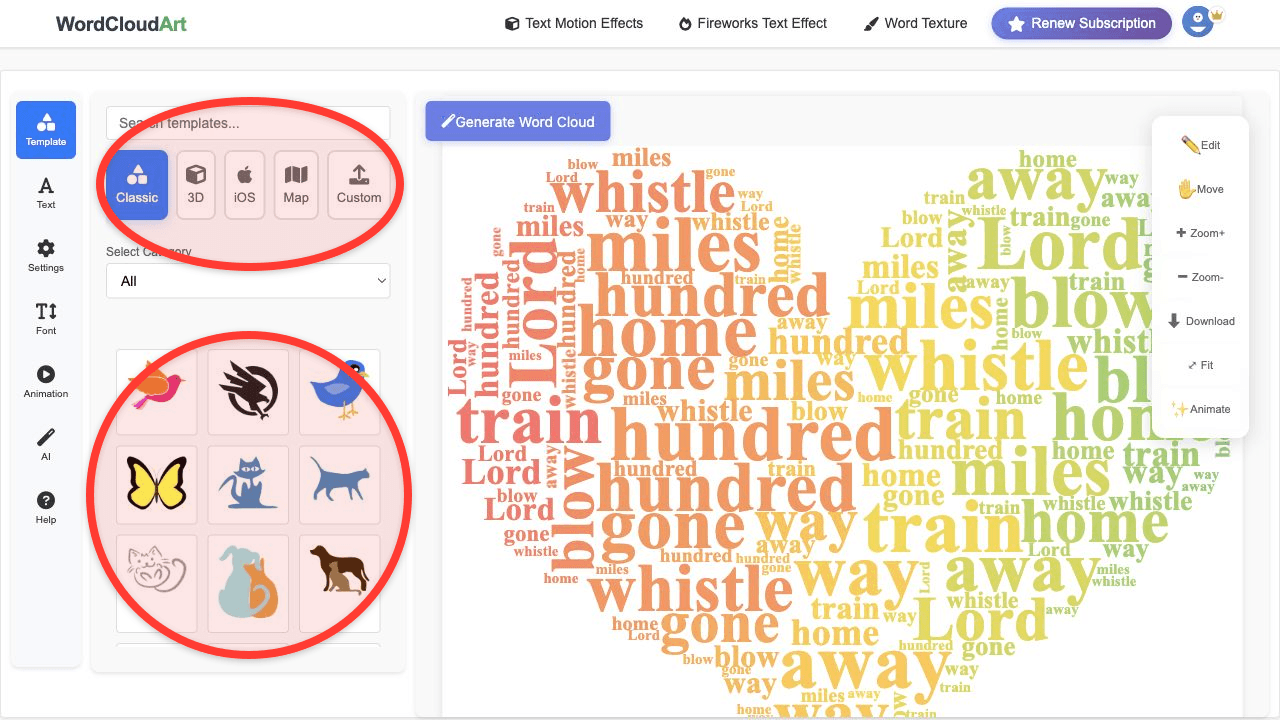
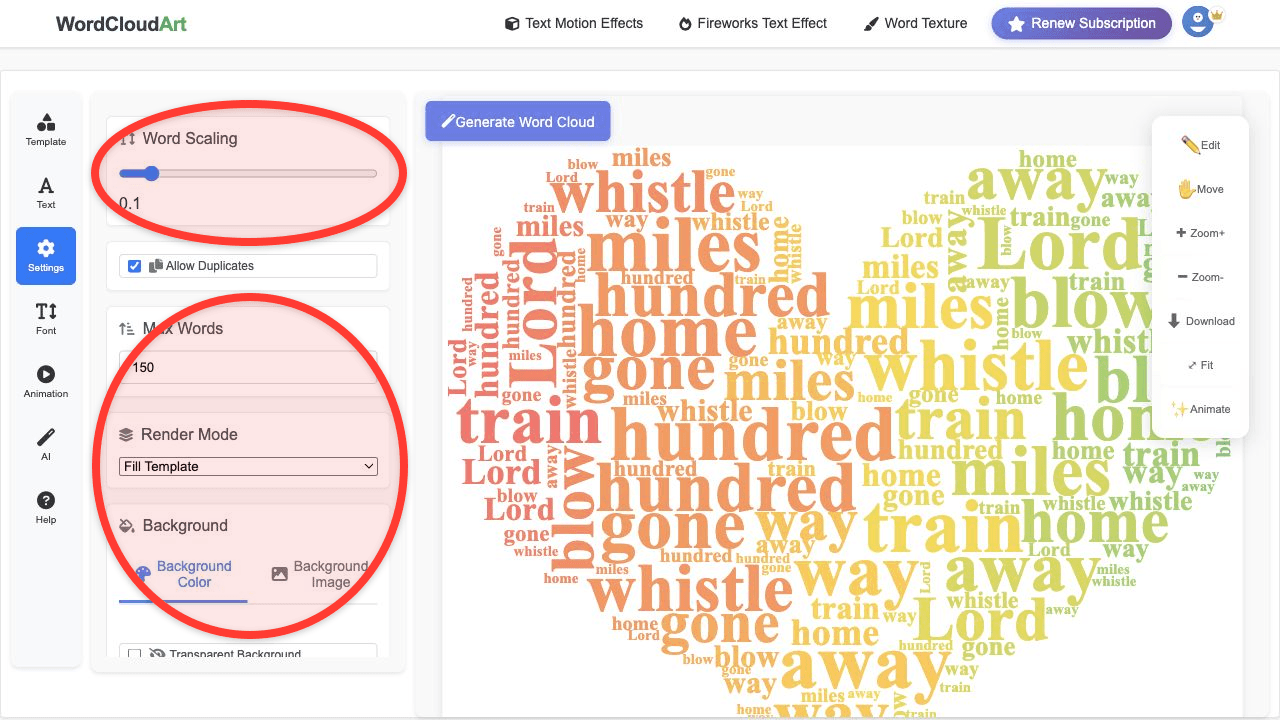
The screenshots below show the common workflow: prepare text, choose a template, adjust style, and export a file that can be reused in Canva, Microsoft Office, or Google Workspace.
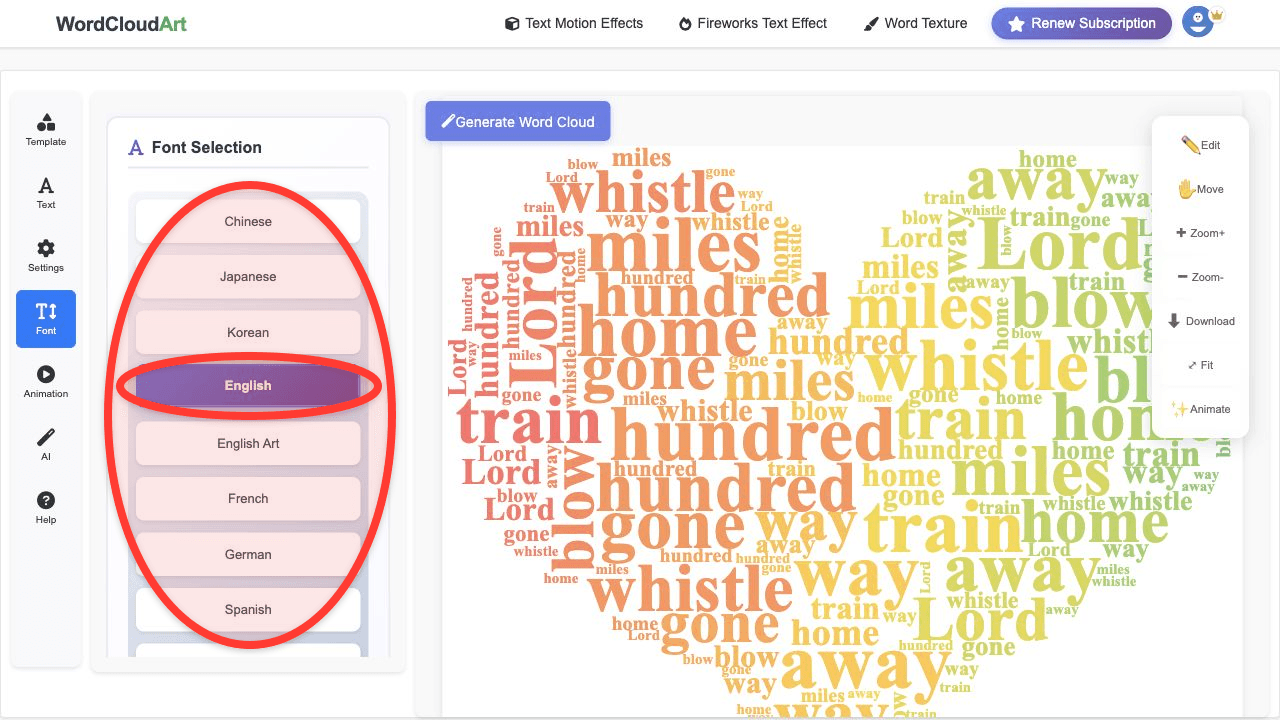
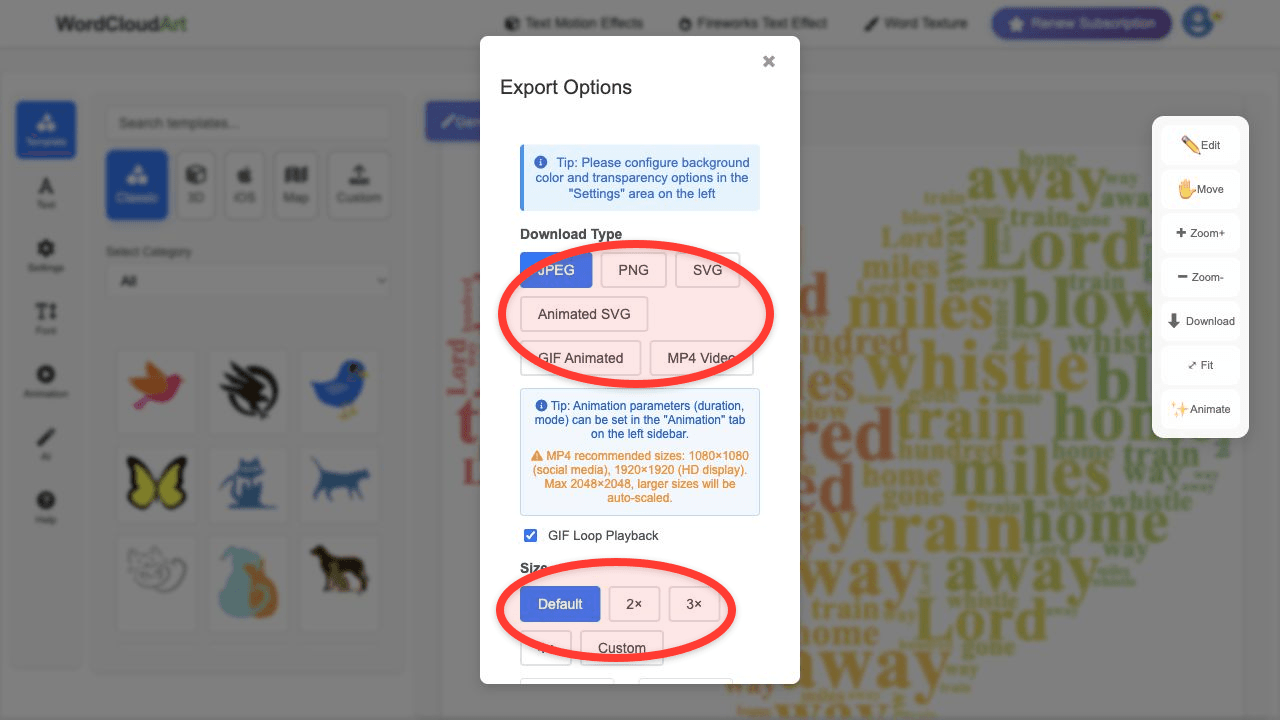
| Tool | Built-in word cloud generator? | Best workflow |
|---|---|---|
| Canva | Not as a full dedicated generator for advanced word cloud layouts. | Generate in Wordcloud.art, export PNG, place it into a Canva design. |
| Microsoft Word | No native full word cloud generator for shaped visual clouds. | Create the cloud online, then insert it as an image into the document. |
| PowerPoint | PowerPoint can show word cloud images, but it is not primarily a word cloud generator. | Export a clean PNG or animated asset, then add it to your slide. |
| Excel | Excel is useful for keyword counts, not for polished word cloud design. | Prepare words and weights in Excel, paste them into Wordcloud.art, then export. |
| Google Docs / Slides | Docs and Slides are best for inserting finished visuals. | Generate online, download image, then insert into the document or slide deck. |
Does Canva Have a Word Cloud Generator?
Canva is excellent for layouts, posters, social graphics, and presentations. For a dedicated word cloud workflow, however, Wordcloud.art gives you more direct control over the keyword list, shapes, colors, fonts, and export output. A strong workflow is to create the word cloud in Wordcloud.art, download a transparent or clean-background image, then finish the overall design in Canva.
Does Microsoft Word Have a Word Cloud Generator?
Microsoft Word is a document editor. It can insert images and shapes, but it is not the fastest way to build a custom word cloud from raw text. If you need a word cloud in a Word document, generate it online first and insert it as an image. This keeps the document clean and gives you better visual control.
Does PowerPoint Have a Word Cloud Generator?
PowerPoint is perfect for presenting word clouds, especially as opening slides, discussion prompts, or summary visuals. For creation, use Wordcloud.art to build the cloud, then export it for your slide. If you want motion, use Wordcloud.art's 3D and text motion effects, export a video or image, and place it into your deck.
How to Generate a Word Cloud in Excel
Excel is useful when your words already have counts or weights. Put keywords in one column and counts in another, then copy that data into Wordcloud.art. This is a practical workflow for survey results, product review categories, support tickets, and research coding. After rendering, export the word cloud and add it back to your spreadsheet report or dashboard.
How to Use a Word Cloud Generator in Google Docs or Google Slides
Google Docs and Google Slides work best as destinations for your finished image. Generate the word cloud in Wordcloud.art, download it, then choose Insert image in Docs or Slides. For classrooms, this is a simple way to turn student responses into a visual warm-up or discussion slide.
Why Use Wordcloud.art as the Generator?
- Built for word clouds: The workflow starts with text and keywords, not generic design blocks.
- Custom shapes: Choose visual forms that fit classrooms, business reports, events, posters, and social content.
- Design control: Adjust fonts, colors, spacing, background, and word weights.
- 3D and motion options: Create more engaging word art for presentations and online content.
- Easy export: Generate once, then use the result in Canva, Word, PowerPoint, Excel, Google Docs, or Google Slides.
Frequently Asked Questions
What is the best free word cloud generator?
The best option depends on your goal. If you want an online generator with custom shapes, design controls, and 3D or animated word art options, Wordcloud.art is a strong choice.
Can I make a word cloud from a webpage?
Yes. Copy the meaningful page text, paste it into Wordcloud.art, remove navigation or footer words, and generate the cloud from the cleaned content.
How do I group words in a word cloud generator?
Keep phrases together when editing your keyword list. For example, use "customer service" as one phrase instead of letting "customer" and "service" appear separately.
Can I use the same word cloud in Canva and PowerPoint?
Yes. Export the word cloud as an image from Wordcloud.art, then upload or insert the same file wherever you need it.
Create Once, Use Anywhere
Generate a polished word cloud in Wordcloud.art, then add it to Canva, Microsoft Office, or Google Workspace.